
You can control the customer-facing display on your Landi C20 - including turning the screen on or off, and enabling or disabling touch - from the device settings.
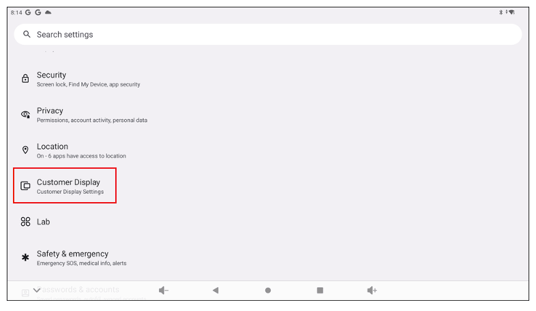
Open the Customer Display Settings
- On your Landi C20, open Settings.
- Scroll down and tap Customer Display.
Turn the Customer-Facing Screen On or Off
- Toggle CFD Display on to show the screen.
- Toggle CFD Display off to disable the screen completely.
Enable or Disable Touch
- On the Customer Display screen, use the CFD Touch toggle to turn touch on or off.
- On: customers can tap the screen.
- Off: the display is view-only.

Disabling the touchscreen or entire customer display does not impact transaction processing or any other core functions of FlexiPOS.