
Setting up your Landi C20 Pro SE
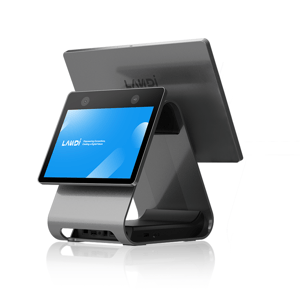
In the box containing your Landi C20 Pro SE, you will find:
-
Landi C20 Pro SE terminal
-
Charger
Remove both items from the box. Plug the charger into a wall outlet and connect it to the device.
Powering on
Turn the device on. You will see the setup screen.
Device setup
-
Language
If you’d like, you can change the device language. Otherwise, press Next.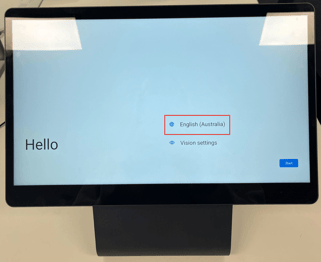
-
Internet connection
Connect the device to the internet. This step is mandatory, as FlexiPOS requires an internet connection to operate. -
Copy apps & data
When prompted to copy apps and data from an existing Google account, select Don’t copy.
The FlexiPOS app is pre-installed, so this step is not required.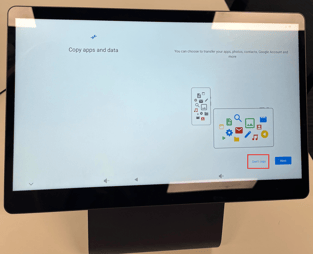
-
Google account
When asked to sign in to a Google account, you can choose to Skip this step if desired.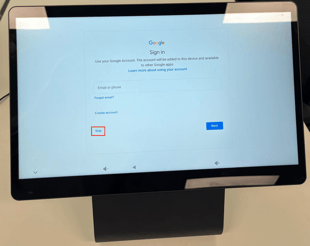
-
Set a PIN
Create a PIN to secure access to the device. -
Google Assistant
Choose whether you’d like to set up Google Assistant, or select Skip. -
Additional settings
You may be prompted to complete additional configuration steps. These are optional and can be skipped if desired.
Your device is now set up. Open the FlexiPOS app and log in using the credentials provided to you.
Other helpful guides: