
To make a payment in CDFpay:
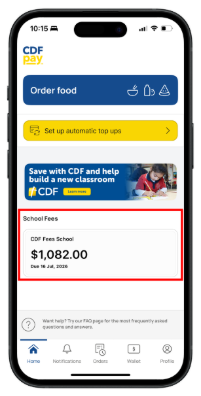
- Click on the ‘School fees’ tile on the home page.
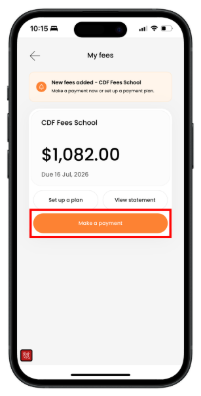
3. Select a payment date.
4. Confirm payment amount.
5. Add payment method.
6. Click ‘Next’.
7. Review your payment details, then click ‘Pay [confirmed payment amount]’.
Tip: You can view pending/scheduled payment details on the ‘My fees’ page in CDFpay under ‘View statement’ > ‘Payments’.