Please note that automatic top ups aren't available for Bank Transfer (Direct Deposit).
Flexischools App (also applicable to CDFpay app)
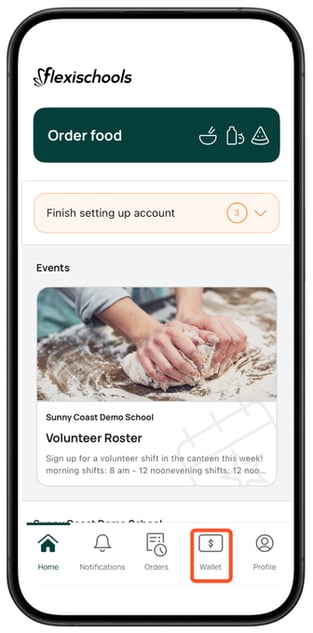
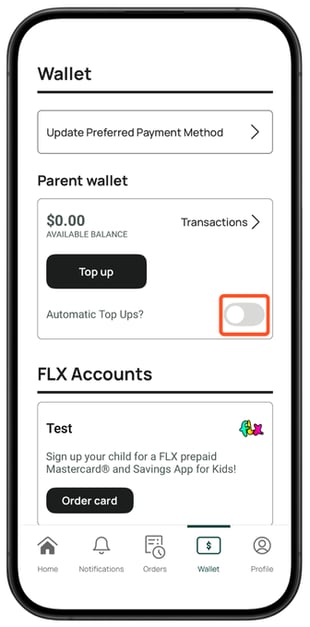
- Select the Wallet and click the toggle next to Automatic Top Ups?
- You can set two amounts:
Low balance trigger – the balance your wallet needs to drop to before a top-up happens
Top-up amount – how much you'd like added to your account each time
Use the + and – buttons to adjust either amount in increments, or tap directly on the amount to type in a custom figure.
You can also update the payment method used for these top-ups.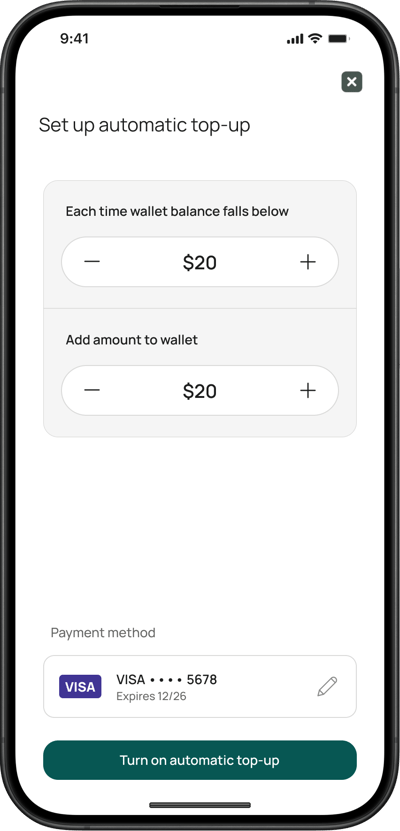
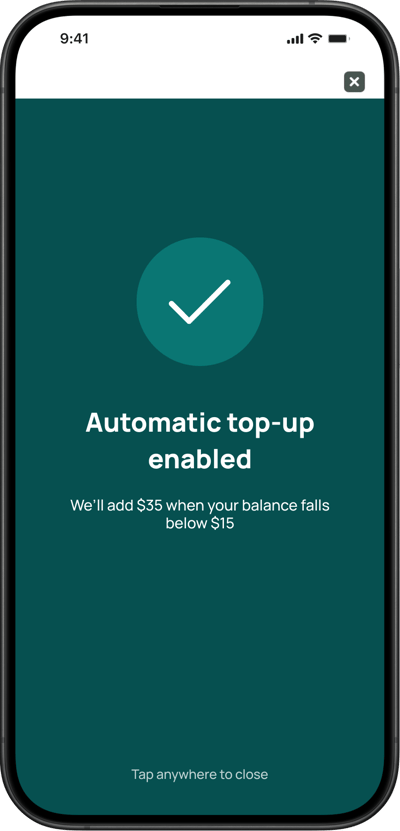
- Once you're happy with your settings, tap Turn on automatic top-up button to save them. The following success message will appear, confirming that your preferences have been saved. Tap anywhere on this page to close the screen.
Flexischools Website (Desktop Site)
- Tap Top up wallet
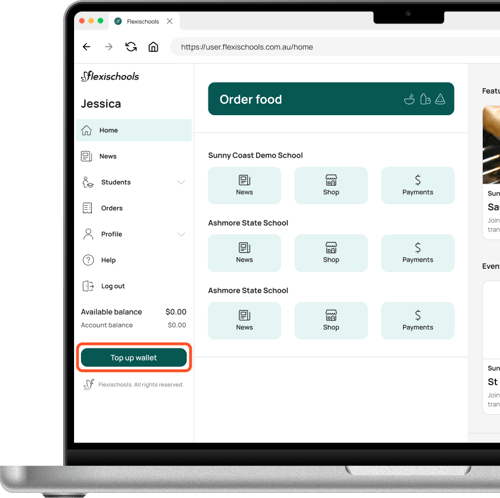
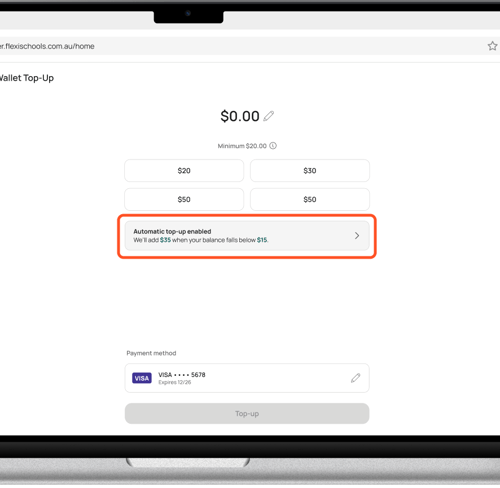
- Click the automatic top-up banner, on the wallet screen.
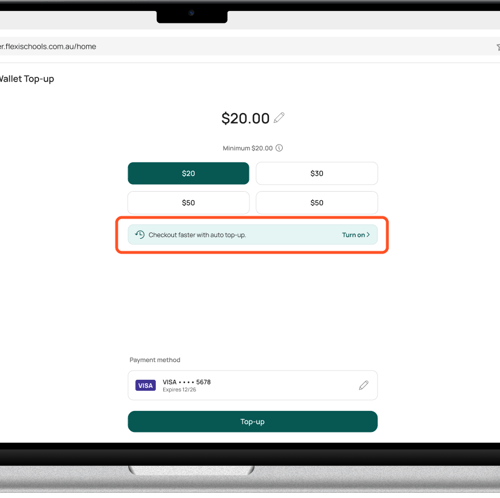
- You will be navigated to the automatic top-up page.
You can set two amounts:
Low balance trigger – the balance your wallet needs to drop to before a top-up happens
Top-up amount – how much you'd like added to your account each time
Use the + and – buttons to adjust either amount in increments, or tap directly on the amount to type in a custom figure.
You can also update the payment method used for these top-ups.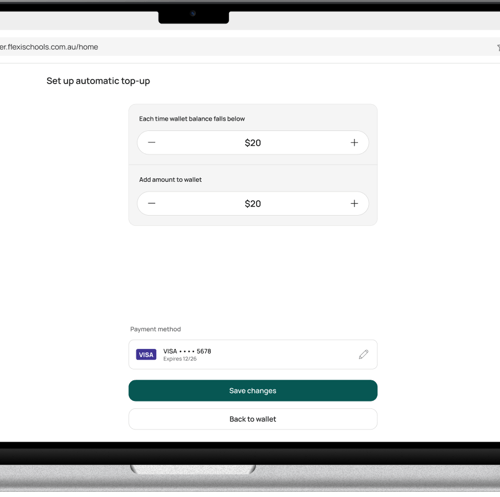
- Once you're happy with your settings, tap Turn on automatic top-up to save them. You will be navigated back to the Home page, where a green success banner will pop-up, confirming that you have enabled automatic top-ups,
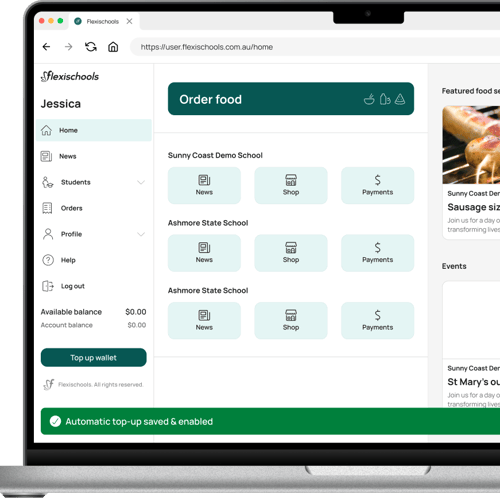
- To edit your automatic top up preferences, tap the Top up wallet button again. The automatic top-up banner will now show your preferences for automatic top-ups. Tap anywhere on this grey banner to navigate back to your preferences and edit them.