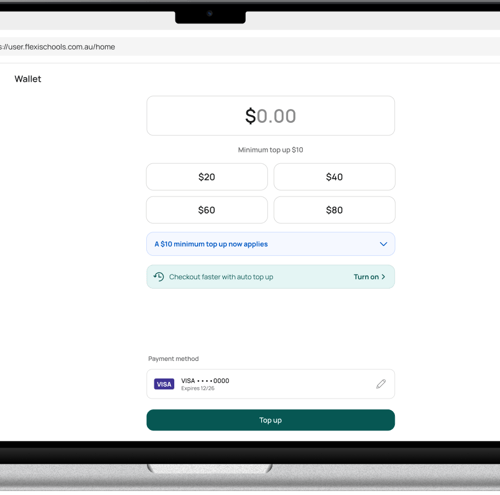
Flexischools App (also applicable to CDFpay app)
- Tap Wallet in the bottom nav menu.
.png?width=400&height=810&name=Untitled%20design%20(43).png)
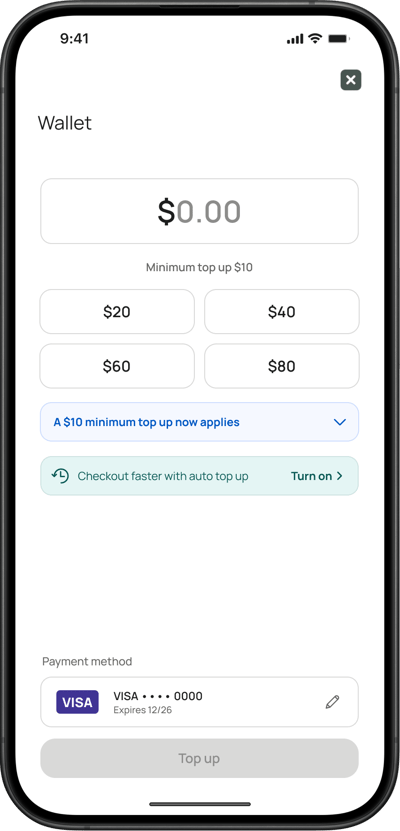
- Tap Top up
.png?width=400&height=810&name=Untitled%20design%20(48).png)
- Use the pre-set amount buttons, or input a custom amount. You can also change your payment method. To complete the top up, tap the green Top up button at the bottom of the page.
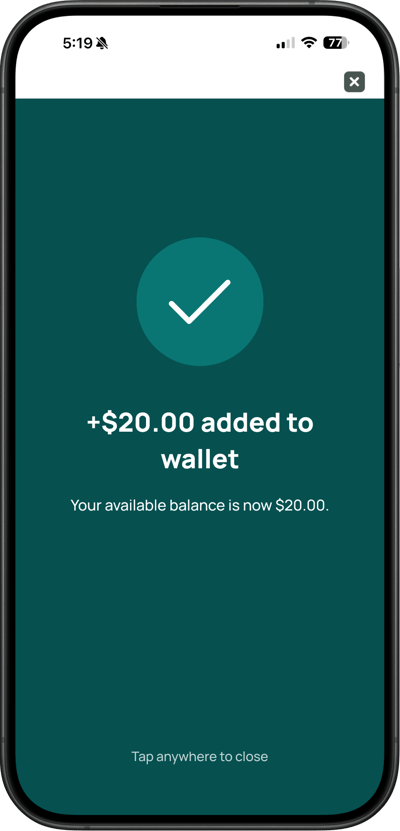
- After tapping the Top-up button, the button will change to Processing, and a success screen will appear, confirming that your top-up is complete. You will see how much has been added to your wallet, and your updated wallet balance. Tap anywhere on the screen to close.
Flexischools Website (from a Computer)
- Select 'Top up wallet' in the left-hand menu.
.png?width=500&height=500&name=Untitled%20design%20(49).png)
- Use the pre-set amount buttons, or input a custom amount. You can also change your payment method. To complete the top up, tap the green Top up button at the bottom of the page.