
You can update the email address that receives reports and notifications via the Supplier Portal.
How to update your details
-
Log in to the Supplier Portal
-
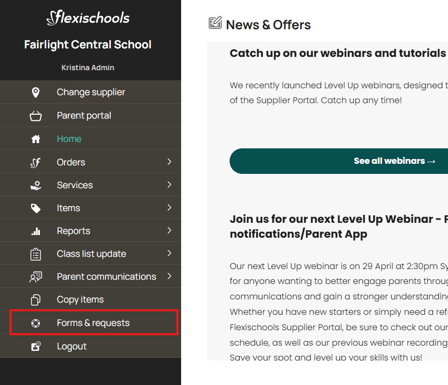
Navigate to Forms and Requests
-
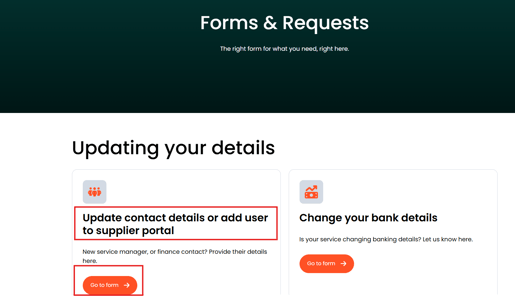
Select Update Contact details or add user to supplier portal
-
Complete form with the relevant details and select Finance Contact
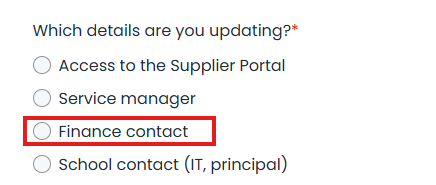
When updating your finance contact, make sure to enter the preferred email address for your finance contact. This is the email address that will receive the statements, invoices and remittances. -
Submit the form
Once submitted, your request will be reviewed and processed, and your updated Finance contact details will be used for all future financial communications.
We recommend using a shared or role‑based email address, such as finance@yourbusiness.com.au, rather than an individual staff member’s email. This helps ensure important emails aren’t missed if someone is away, changes roles, or leaves the business, and makes it easier for multiple team members to access the information when needed.
If you need help accessing the Supplier Portal or submitting the form, please contact Support.