
Your account history is where your supplier statements can be downloaded and shows you all activity in and out of your account.
- Log into the Supplier Portal: https://supplier.flexischools.com.au/
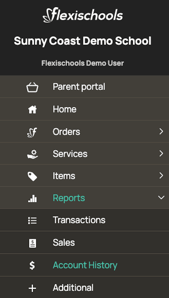
- Navigate to Reports, then Account History
- Select the date range and account that you would like to view the account history for. Then, click Refresh

- Here, you will see the activity in and out of your account.
- To download a statement, click the statement number. You can use the search bar at the top-right of the table to find a specific statement.
- To view a breakdown of the orders included in a transaction, click Details.

Click here to discover additional reports available within the Supplier Portal.